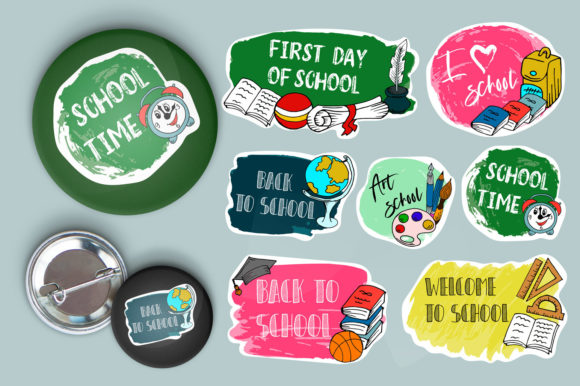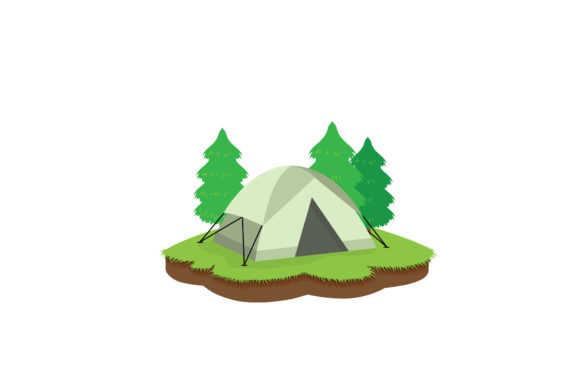
Camping and Back to School Design Bundle
Whether you are gearing up for autumn lesson plans or preparing seasonal promotions, the crossover between outdoor adventure and classroom readiness offers unexpected creative opportunities. The Camping and Back to School design set captures this intersection with a character that works for both camping enthusiasts and educators alike. Available in five formats—AI, EPS, SVG, JPG, and PNG—this 1920 px x 1280 px canvas provides a flexible starting point for nearly any project.
What This Design Set Brings to Your Workflow
The character itself blends nature-inspired elements with school-friendly aesthetics, making it suitable for everything from bulletin board decorations to social media graphics. Because it comes in multiple vector and raster formats, you can scale it, recolor it, or combine it with other assets without losing quality. The AI and EPS files give you full control over individual layers, while the SVG works seamlessly for web projects and responsive layouts. The JPG and PNG versions offer immediate use for print or digital mockups when you need a quick solution.
What stands out is the balance between theme and practicality. Many seasonal graphics feel either too childish or too generic. This one lands in a sweet spot where a campfire scene or a backpack illustration can be adapted for different age groups and contexts. The canvas dimensions (1920 x 1280 px) are wide enough for banners and headers yet proportional for flyers and presentations.
For Educators and School Staff
Teachers looking to ease students into the new school year often use visual themes to reduce anxiety and build excitement. You can place the Camping and Back to School character on slides, handouts, or door decorations. Use it as a reading corner mascot or a reward sticker template. The SVG format makes it easy to drop into Google Slides or Canva without worrying about background distortions. If you run a school newsletter, this graphic can anchor a welcome-back article or a “tips for a great year” sidebar.
For Freelancers and Small Business Owners
If you design printables or digital resources, this asset saves hours of starting from scratch. Create planners, sticker sheets, or coloring pages with the core character. The EPS file works well in Adobe Illustrator for customizing color palettes to match brand guidelines. A tutoring center could use the character in social media posts, while a camping gear store might adapt it for a “gear up for school camp” promotion. The flexibility of the 1920 x 1280 px canvas means you can crop it into square or vertical formats without losing important details.
For Bloggers and Content Creators
Bloggers covering parenting, education, or outdoor lifestyles can use the Camping and Back to School graphic as a featured image, infographic header, or email series opener. Since the design is easy to edit, you can overlay text or adjust colors to match seasonal themes. A video thumbnail creator might extract a single element from the EPS file to animate in After Effects. The PNG version works well for quick mockups when testing different layouts before finalizing a design.
Why Format Variety Matters for Real Projects
Receiving a design in five formats may seem like a small detail, but it directly affects how efficiently you can move from concept to finished product. The AI file preserves layers and effects, letting you tweak every part of the composition. The EPS is ideal for professional print workflows where compatibility across software is critical. SVG is lightweight and responsive, perfect for website icons or e-learning modules. JPG and PNG provide immediate output for proofing or fast turnaround jobs. Having all five means you avoid the frustration of format conversion errors or quality loss during scaling.
The 1920 px x 1280 px size itself is worth noting. Wide enough for desktop wallpapers, YouTube banners, and slide backgrounds, yet not so oversized that it becomes unwieldy. It prints cleanly at common poster sizes, and if you need a smaller version, scaling down a vector file keeps everything crisp.
Practical Considerations Before You Start
- Check your software compatibility. AI and EPS require vector editing tools like Adobe Illustrator or Affinity Designer. SVG works in most browsers and code editors. JPG and PNG open anywhere.
- Plan your color adjustments early. If you intend to change the character’s palette, do it in the vector files first, then export raster versions. This preserves maximum flexibility.
- Think about context. The camping theme pairs naturally with fall or outdoor units. The school angle fits August through October promotions. Combining both expands its shelf life across multiple seasons.
- Use layers to your advantage. In the AI and EPS files, you can hide elements you do not need, reposition others, or duplicate parts for pattern fills. This is especially helpful when creating sets of coordinated materials.
Real Examples of How People Use This Design
A freelance designer I know built an entire back-to-school planner pack around the Camping and Back to School character. She used the SVG for the cover, extracted the campfire for habit tracker icons, and used the PNG for a sticker sheet preview. Her clients appreciated that the theme carried through without feeling forced.
Another user—a parent who runs a small Etsy shop—created a set of “Camp School” flashcards. She imported the EPS into a cutting machine software and produced vinyl decals for water bottles. The 1920 px canvas gave her plenty of room to adjust placement before cutting. She mentioned that having the AI file saved her from redrawing the character when she wanted to change the hat color from orange to blue.
Teachers have also used the design for end-of-summer classroom door displays. They printed the JPG as a large poster and surrounded it with student names on paper tents. The visual theme helped new students feel connected to both the idea of summer adventure and the fresh start of school.
Getting the Most from Your Purchase
Once you download the files, open the AI or EPS version first to explore the layers. Look at how the character is constructed—where lines are grouped, which elements are separate, and whether there are swatches already defined. This gives you a head start on customization. If you are not a designer, the PNG and JPG are still valuable. Drop the PNG into PowerPoint, Keynote, or Word, and you have an instant visual element that looks professional.
For web use, the SVG file is your best bet. It loads quickly, scales to any screen size, and remains sharp on retina displays. You can also inline the SVG directly in HTML, which gives you CSS control over hover states or animations if you want to add interactivity later.
Consider combining this design with other assets from your library. Because the canvas is large and the character is centered without excessive background clutter, it leaves room for text overlays, borders, or complementary icons. The design works well as a hero graphic or as part of a grid with other themed elements.
Thank you for visiting our store and making this purchase. The Camping and Back to School design is built to adapt to your workflow, whether you are a seasoned professional or just beginning to explore digital creation. Start with the format that matches your immediate need, then explore the others as your projects grow. The combination of theme and format flexibility gives you a tool that can serve multiple purposes throughout the year.