Back to School Cartoon Vector 04
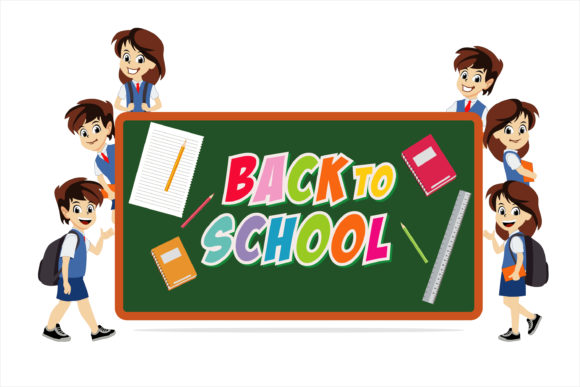
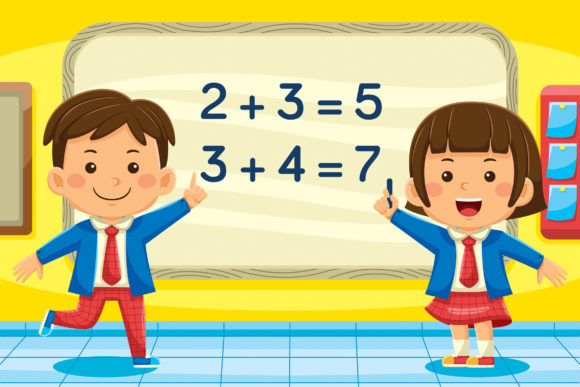
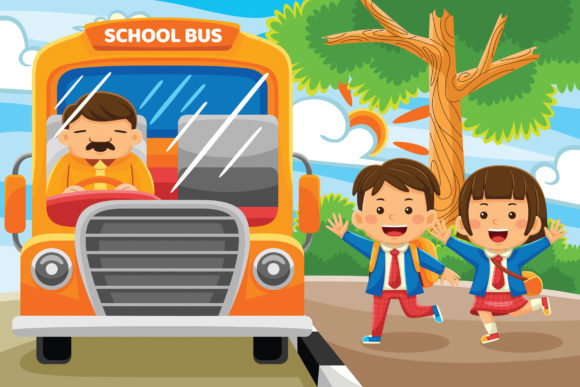
If you create content for children’s education, marketing, or publishing, you know the struggle of finding visuals that are both playful and practical. Many stock illustrations lean too generic, too childish, or simply don’t scale well across different media. Back to School Cartoon Vector 04 is designed to solve that. It’s a curated set of 100 vector illustrations built around a cute character and flat design aesthetic, ready for everything from a classroom poster to a website banner.
What sets this collection apart is not just the art style—it’s the thoughtfulness behind the delivery. You get the source files in multiple formats (AI, EPS, PDF, and high-res JPG), all at a generous 6000 x 4000 pixel resolution. Each shape is editable, colors can be swapped individually, and you can combine different elements to build custom scenes. For designers, educators, and marketers who need flexibility without compromising on visual appeal, this set offers a practical shortcut.
What Exactly Is in This Vector Set?
Let’s break down the package without the fluff. Back to School Cartoon Vector 04 includes 100 separate illustrations, each created in a flat design style with charming, approachable characters. The illustrations are self-contained vector shapes, meaning you can resize any element without worrying about pixelation. Whether you need a cheerful backpack, a smiling teacher, or a stack of books, the collection covers the key motifs you’d expect in a back‑to‑school theme.
The file packages are thorough. You receive an Adobe Illustrator (.ai) file, an EPS file, a PDF, and a JPG. The JPG alone is 6000 x 4000 pixels—more than enough for large print projects or high‑dpi digital screens. The AI and EPS formats allow you to open the artwork in vector editing software and customize every shape. Need to match a brand color? Change the blue backpack to your corporate green. Want to create a unique scene? Take the book element from one illustration, combine it with a character from another, and rearrange them freely. That level of control is rare in ready‑made illustration sets.
Key Strengths That Matter for Real Projects
When evaluating a vector set, you need to look beyond the preview images. Here are the characteristics of Back to School Cartoon Vector 04 that actually affect your workflow and final product:
- True vector scalability: Because every element is a vector, you can enlarge the illustrations for a billboard or shrink them for a social media icon without any loss of quality. No raster artifacts, no blurry edges.
- Layer‑based editing: In the AI and EPS files, each shape sits on its own layer or sub‑layer. This makes it straightforward to select, recolor, or delete specific parts without affecting the rest of the composition.
- Flat design with personality: The cute character style is intentionally simplified, which means it reads well at small sizes and remains clear even when printed on uncoated paper. The flat aesthetic also integrates easily into modern web designs without looking dated.
- Generous resolution and print readiness: The provided JPG is 6000 x 4000 pixels at 300 DPI that’s ready for print. For digital use, you can downscale as needed, but starting high ensures you have headroom.
- File format coverage: With AI, EPS, PDF, and JPG included, you can work in Adobe Illustrator, Affinity Designer, CorelDRAW, or even just drop the JPG into a document. The PDF preserves vector data and can be imported into most design applications.
That combination of flexibility and quality reduces the time you spend searching for assets or fixing scaling issues. Instead, you can focus on composition and message.
Where You Can Use This Cartoon Vector Set
The title says “Back to School,” but the practical reach goes far beyond the classroom. Here are realistic applications across different fields:
Children’s Books and Educational Materials
If you’re self‑publishing a children’s book or creating worksheets for online courses, consistent illustration style is crucial. The flat design of Back to School Cartoon Vector 04 works beautifully in print and on screen. You can use individual characters as chapter headers, build full‑page scenes by combining elements, or create activity sheets that feature the same cute characters throughout. The editable colors let you match your book’s palette without extra effort.
Websites and Landing Pages
Educational apps, tutoring platforms, and kids’ product websites often need fun visuals that don’t distract from the call‑to‑action. Because the illustrations use solid colors and simple shapes, they load fast and remain sharp on retina displays. Place a backpack icon next to a “Start Learning” button, or use a character illustration as a hero background element. The vector format means you can export icons as SVGs directly, keeping your site lightweight.
Posters, Flyers, and Campaign Materials
School fundraisers, library reading programs, and summer camp brochures all benefit from a cohesive visual identity. With 100 illustrations at your disposal, you can design a complete campaign series using the same character family. Change the background color for different themes (registration, open house, sports day) while keeping the core graphics consistent. Because each shape is editable, you can even add text bubbles or customize expressions if you have basic vector skills.
Social Media and Digital Marketing
Marketers managing educational brands or kid‑friendly products can use these vectors for Instagram posts, Pinterest pins, and Facebook ads. The flat design style performs well in smaller thumbnails, and the high‑resolution JPG allows for crisp close‑ups. You might create a series of “back to school tips” posts, each featuring a different illustration from the set. The consistent style builds brand recognition without needing a dedicated illustrator on staff.
Presentations and Training Materials
Trainers and educators who prepare slide decks for children or parents can insert vector illustrations to break up text and increase engagement. A slide about nutrition could feature a smiling apple character; a slide about study habits could show a cheerful book stack. Because the vectors are flat, they don’t clash with modern presentation templates, and you can tint them to match your slide theme in seconds.
Efficiency and Customization: Why This Set Saves You Time
One of the biggest time‑wasters in design is hunting for consistent assets. With Back to School Cartoon Vector 04, you have 100 illustrations that already share the same style. That eliminates the need to mix and match from different sources or spend hours tweaking colors to make them look unified.
The ability to change colors individually is particularly valuable. Suppose you’re designing for a school that uses navy blue and gold. Open the AI file, select the backpack shape, and replace the original color with your brand hex code. The rest of the illustration remains untouched. This level of granular customization means you can adapt the entire set to a client’s branding in minutes rather than redrawing anything.
If you work with Adobe Illustrator, the layered structure lets you hide, lock, or rearrange elements quickly. You can also create variations by duplicating a character and flipping an arm or resizing a prop. For non‑designers, the provided JPG works as a drop‑in image for word processors or simple page layout tools, while still being high enough quality for professional use.
Practical Considerations Before You Download
While this vector set is highly adaptable, a few things will help you make the most of it:
- Software compatibility: The AI and EPS files are best edited in Adobe Illustrator or a compatible vector editor (Affinity Designer, CorelDRAW). If you only have basic image editing tools, you may be limited to using the JPG files, which are still excellent but not editable. Make sure you have the right software to unlock full customization.
- File size and storage: At 6000 x 4000 pixels, the JPG files are large. That’s great for quality, but be aware of storage space if you’re downloading all 100 illustrations at once. The AI and EPS files are comparatively smaller but still substantial when working with many layers.
- Style consistency: Because all illustrations follow the same flat, cute character design, they work best when used together. If you mix them with highly realistic stock photos or hand‑drawn sketches, the contrast might feel jarring. Plan your project around a unified visual language.
- Licensing and usage: As with any purchased vector set, review the license terms. Most standard licenses allow for commercial use in unlimited projects, but restrictions may apply to reselling the raw files or using them in templates for sale. When in doubt, read the included terms.
Is This the Right Vector Set for Your Next Project?
If you need a large, cohesive collection of back‑to‑school illustrations that you can customize, resize, and repurpose across print and digital media, Back to School Cartoon Vector 04 offers a strong foundation. The flat design style appeals to a wide audience—children and adults alike—while the vector backbone gives you professional‑grade flexibility. It’s particularly well suited for educators creating their own materials, small business owners designing marketing collateral, and freelance designers who want to speed up client projects without sacrificing quality.
On the other hand, if your project demands ultra‑detailed realism or a completely different art direction (like watercolor or isometric), this set won’t match. It’s also worth noting that while 100 illustrations is generous, they focus on school‑related themes. If you need generic business or technology icons, you’ll need a different resource. But for its intended purpose—back‑to‑school and education‑adjacent visuals—it delivers a practical, time‑saving solution.
The best approach is to download the files, open them in your vector software, and experiment with a couple of customizations. See how quickly you can adjust colors, combine characters, and export a final piece. That hands‑on experience will tell you more than any description can. Happy designing.